
How to Make a Hotel Lobby AI Video
By Hotel Lobby AI · Updated October 16, 2026 · 4 min read
To make a Hotel Lobby AI video, open the Hotel Lobby AI studio, add one photo for the left performer and one for the right, optionally type a theme for the lyrics, and press Generate video. In a few minutes you get a 10-second 720p clip with an original AI rap, ready to download.
Transcript · 0:45
- Open hotellobbyai.ai. This is the studio.
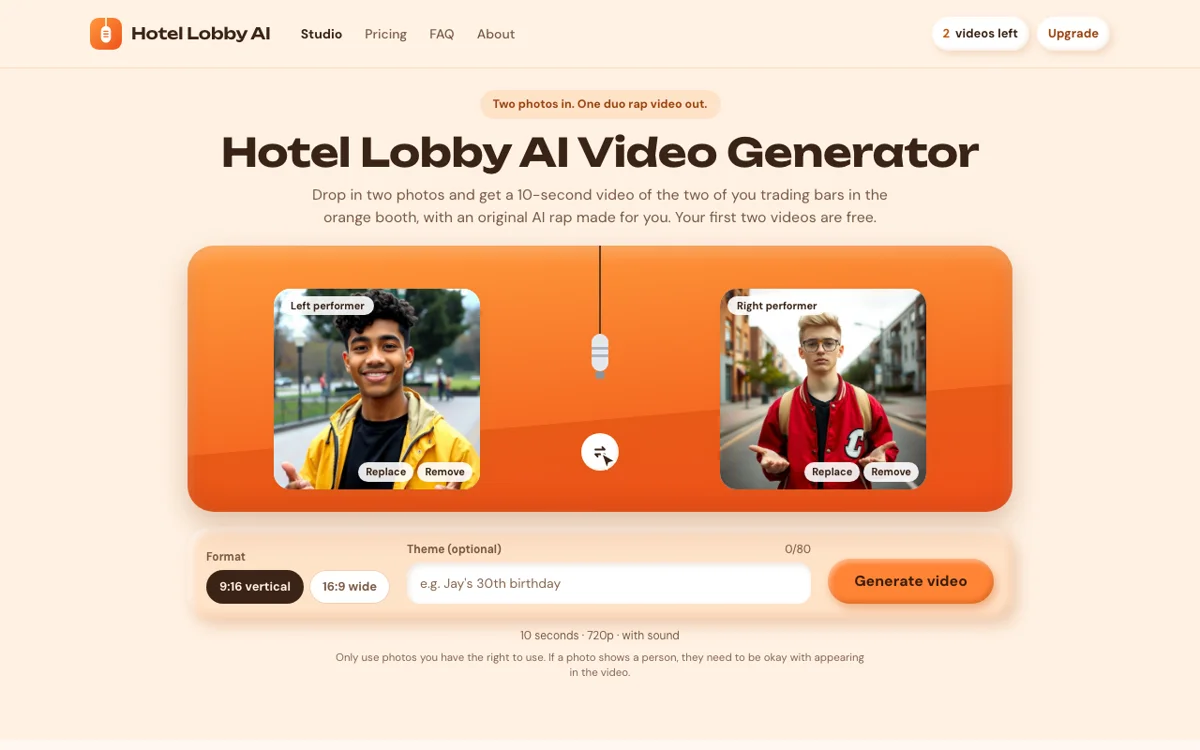
- Add a photo for the left performer.
- Add a photo for the right performer.
- Got them the wrong way round? Swap sides.
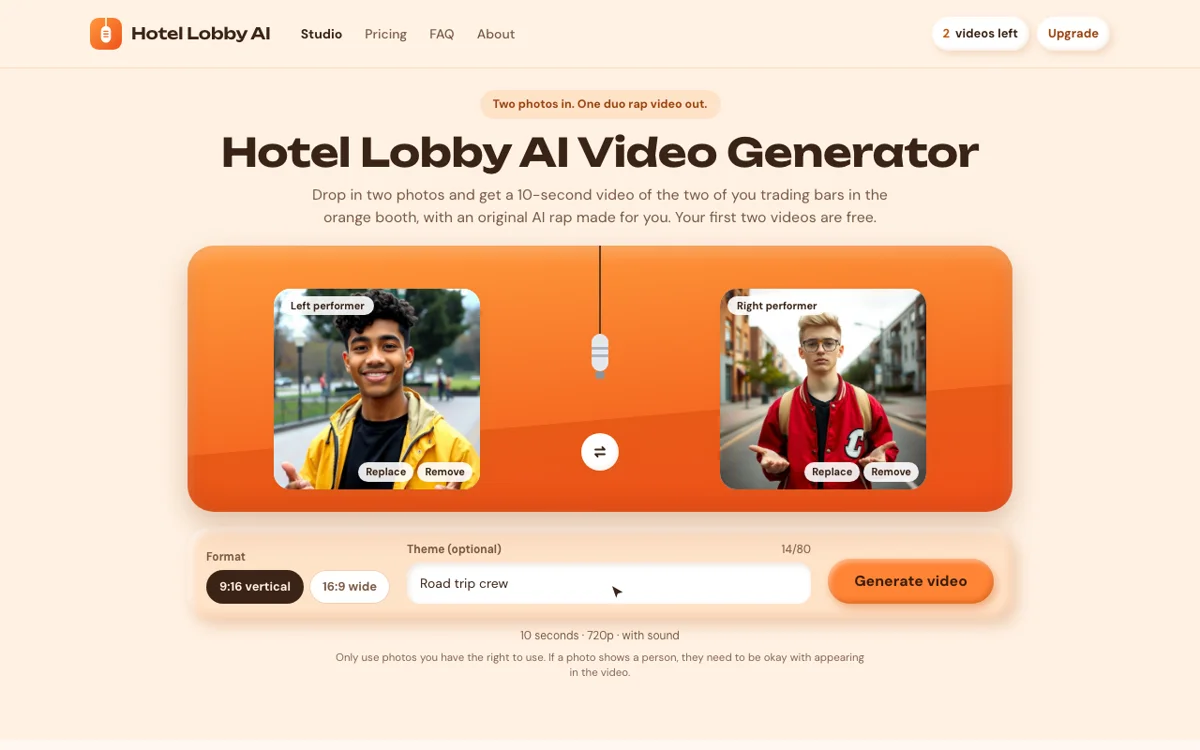
- Pick a format: 9:16 for TikTok and Reels.
- Type a theme if you like. The lyrics are written around it.
- Press Generate video. It takes a few minutes.
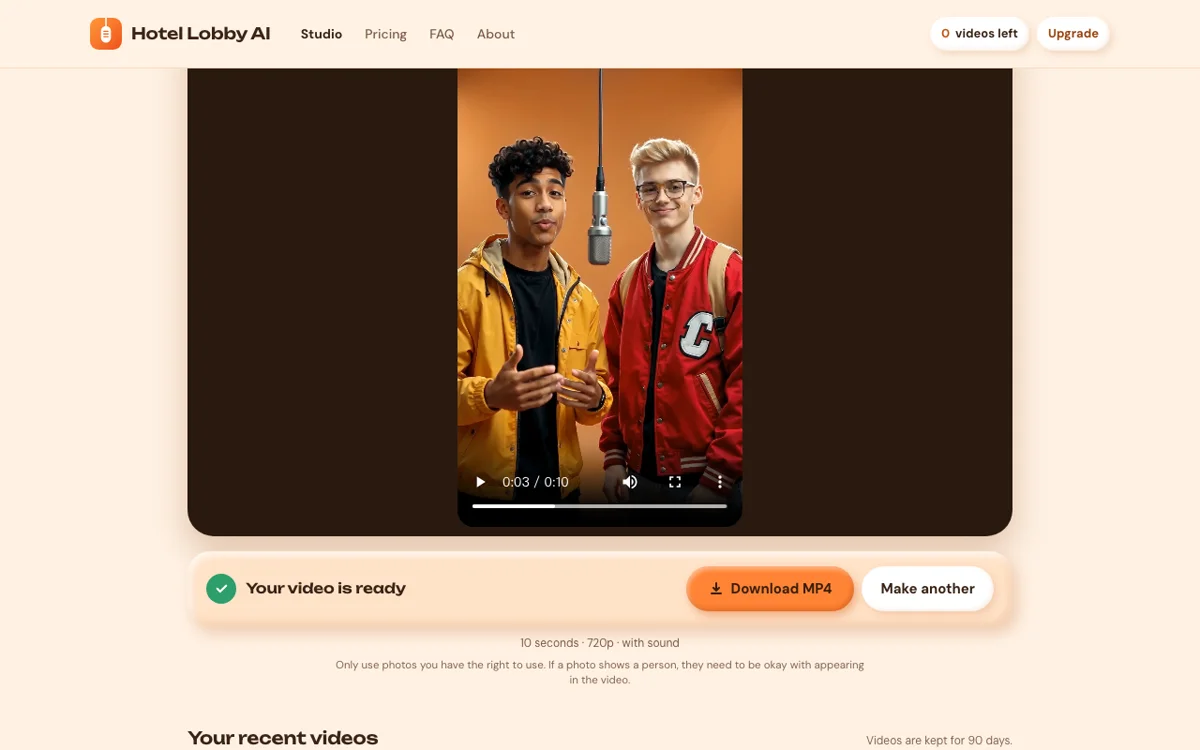
- Your video is ready. Play it with the sound on.
- Download the MP4 and post it.
The Hotel Lobby look is simple: an orange booth, one hanging microphone, two performers trading bars. You don't need editing skills or a prompt to make one. You need two photos.
This guide walks through the three steps and then covers the parts that decide whether the result looks right: which photos to pick, what to type as a theme, and what to do if a video fails.
What you need
- Two photos, one per performer (JPG, PNG or WebP, up to 10 MB each)
- A Google account for your free videos
- A few minutes
Steps
- 1
Pick two performers
Open the studio and add a photo to each slot. The left slot becomes the performer on the left of the microphone, the right slot the one on the right.
Click a slot to choose a file, or drag a photo onto it. Use the swap button between the slots if you got them the wrong way round.
- 2
Choose a format and a theme
Pick 9:16 vertical for TikTok, Reels and Shorts, or 16:9 wide for YouTube and group chats on desktop.
The theme is optional: type up to 80 characters, like “Jay's 30th birthday”, and the lyrics are written around it.
- 3
Generate and download
Press Generate video. It usually takes a few minutes, and you can leave the page while it renders.
When it's done, play it with the sound on and press Download MP4.
Which photos work best
The photo is the only thing the model knows about your performer, so it decides most of the result.
- One person or one pet per photo. Group shots confuse it.
- Face the camera, with even light and nothing covering the face.
- Upper-body or full-body shots carry the outfit into the video. A tight selfie works, but the outfit is invented.
- Skip heavy filters and stickers. They get baked into the performer.
- At least 240 pixels on the short side. Bigger is better, up to 10 MB.
Animals work too. There are a few extra tips in Hotel Lobby AI for pets.
What to type as a theme
Short and specific beats long and vague. A name plus an occasion gives the lyrics something to say: “Maya and Sam, five years”, “Coach Dan retires”, “Road trip crew 2026”. The lyrics are in English. Leave the box empty and you get a classic duo track about being an unbeatable pair.
If your video fails
A failed video is never charged, and for 24 hours you can press Try again without picking the photos again. If it fails twice, the photo is usually the reason:
- Photos of public figures and published professional photos are often rejected by the model.
- Very small, blurry or heavily cropped images may not be accepted.
- An image picked from a website may be blocked from outside access. Save it and upload the file instead.
Posting it
The download is a 10-second MP4 at 720p with sound and no watermark. The song is generated for your video, so you post it as-is, with no need to add the original sound.
Questions
Do I need to write a prompt?
No. The scene, the camera and the performance are already set. You only add photos and, if you like, a theme.
Can I make it longer than 10 seconds?
Not yet. Every video is 10 seconds at 720p.
Does it work on a phone?
Yes. The studio runs in your phone's browser. The right-click extension is for Chrome on desktop.
Keep reading
The Hotel Lobby AI Trend, Explained
An orange booth, one microphone and two performers who were never there. Where the trend came from, how the videos are made, and why it has people arguing.
Read the article
Hotel Lobby AI and Copyright: What Can Get a Post Muted
The song, the footage and the faces are three different questions. What each one means for the video you're about to post.
Read the article